
Platform
Every function of the company, one place
Each room covers one function of the company, and all rooms use the same records. The records your team works on are the ones that get simulated, reported and cited.
Operate
Daily operations: what is due, what is blocked, what comes next, and the procedures that create the work.
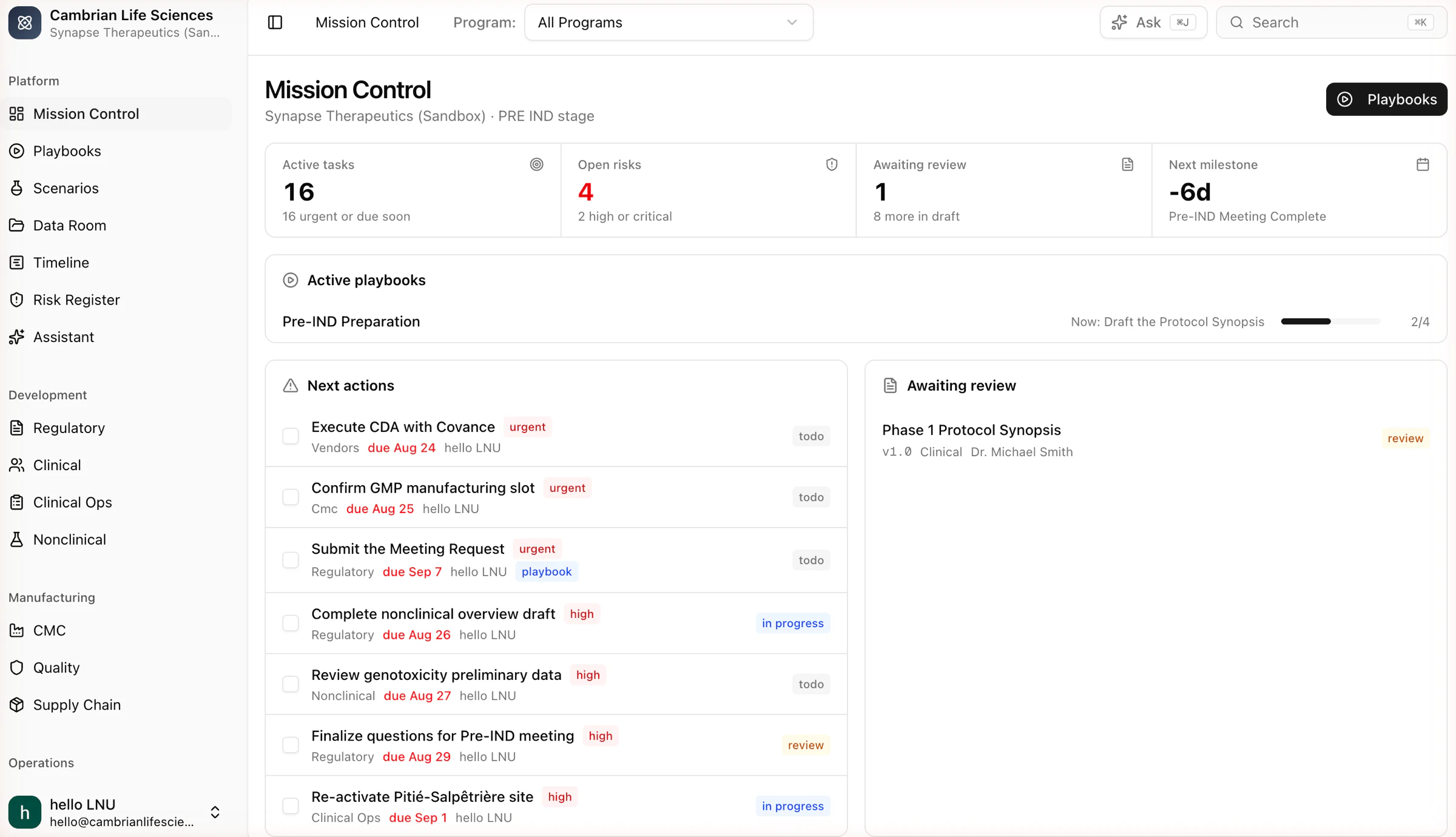
Mission Control
The company on one screen
Active tasks, open risks, documents awaiting review and the next milestone, with the active playbook and its current step. Every card links to the record behind it.
- Program filter across every room
- Next actions ranked by urgency and due date
- Awaiting review lists document versions by owner
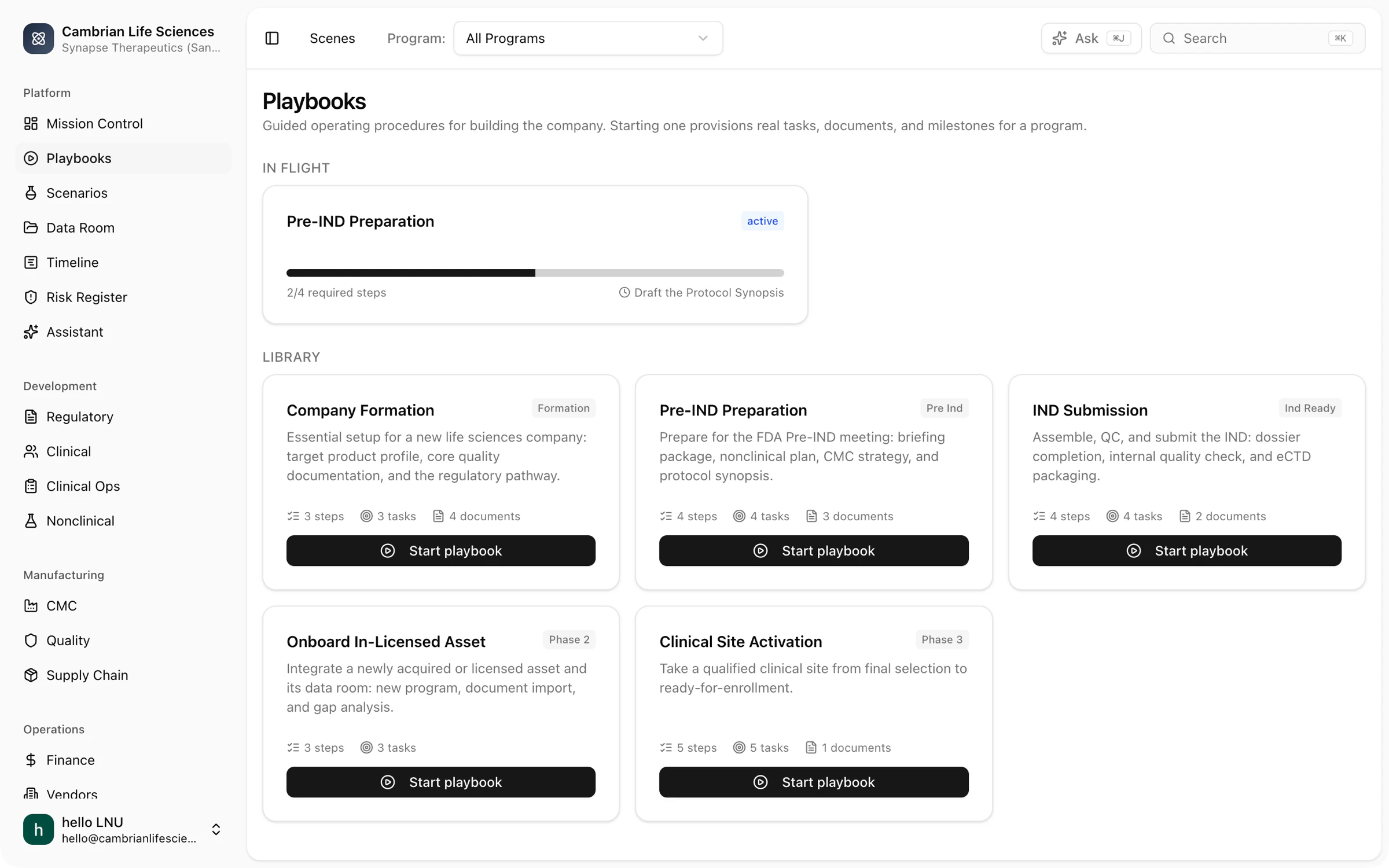
Playbooks
Procedures that create the work
Company formation, pre-IND preparation, IND submission, onboarding an in-licensed asset and clinical site activation. Starting one provisions tasks, documents and milestones with dependencies and completion criteria.
- Steps carry blocking links and expected outputs
- Progress is measured on required steps
- Scenarios can recommend the next step from a simulation
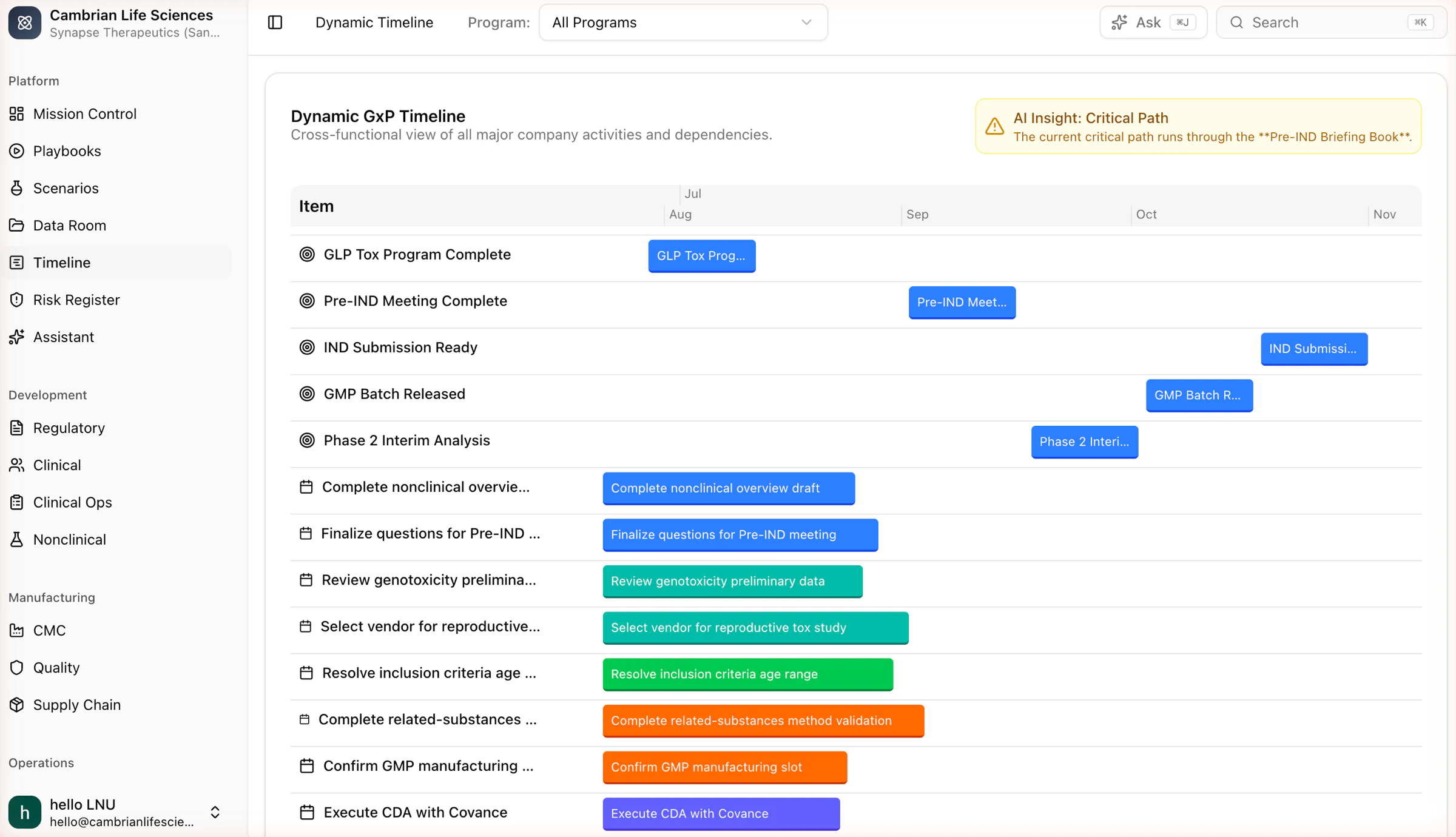
Timeline
Milestones, tasks and the critical path
Every major activity and its dependencies on one timeline, with a note that identifies the critical path to the next milestone.
- Milestones and tasks on one axis
- Dependencies come from the records, not from a separate chart
- Simulate impact opens a timeline shock experiment
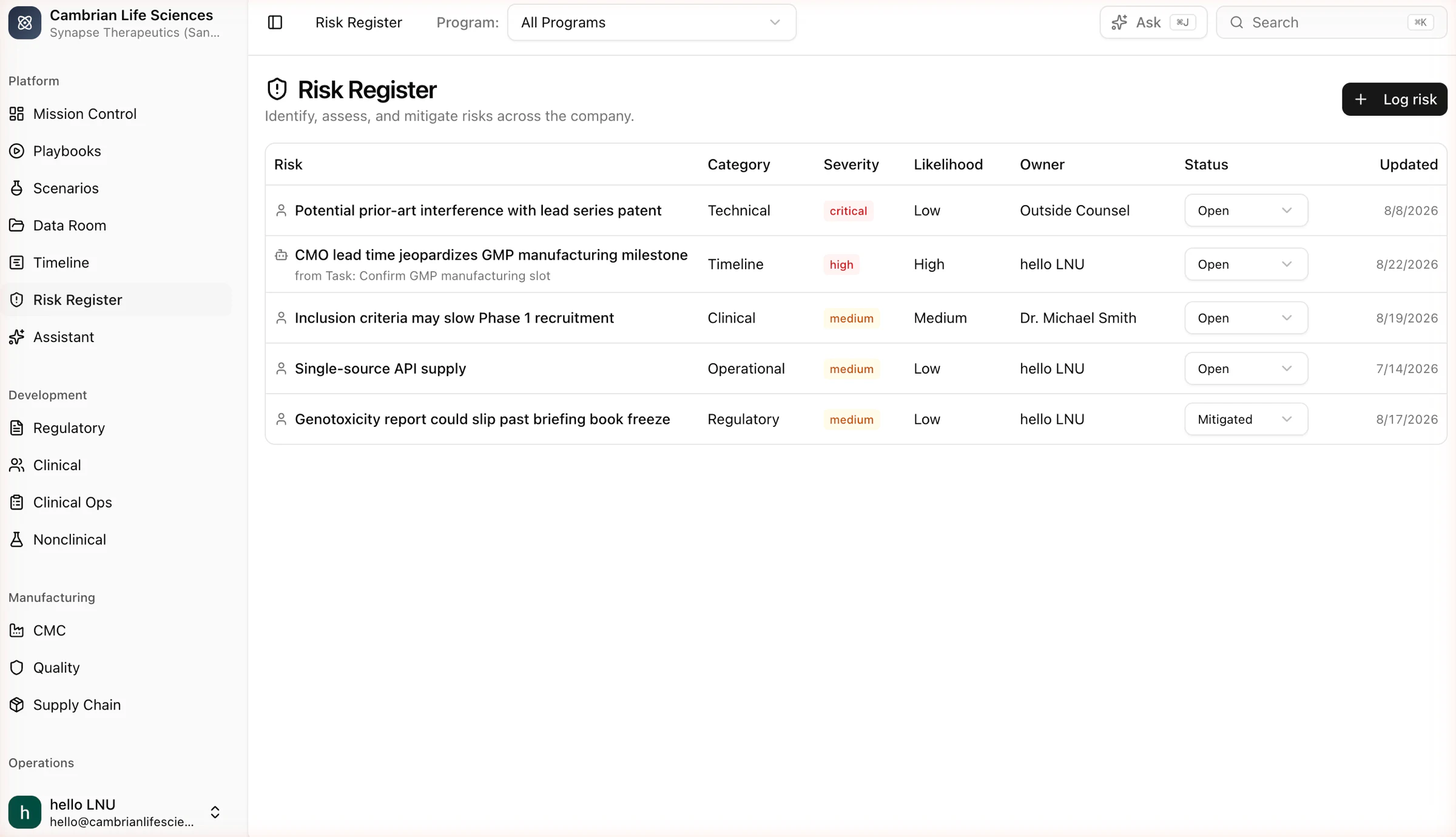
Risk Register
Risks with owners, likelihood and status
Technical, timeline, clinical, operational and regulatory risks, each with a severity, an owner and a status. Every change is logged. When a stress test produces a critical finding, the platform files a risk automatically.
- Severity and likelihood on every row
- Mitigation tracked as tasks
- Findings from experiments link back here
Develop and manufacture
Regulatory, clinical, nonclinical, CMC, quality and supply share the same records, so a batch, a site and a submission section are linked to each other.
Regulatory
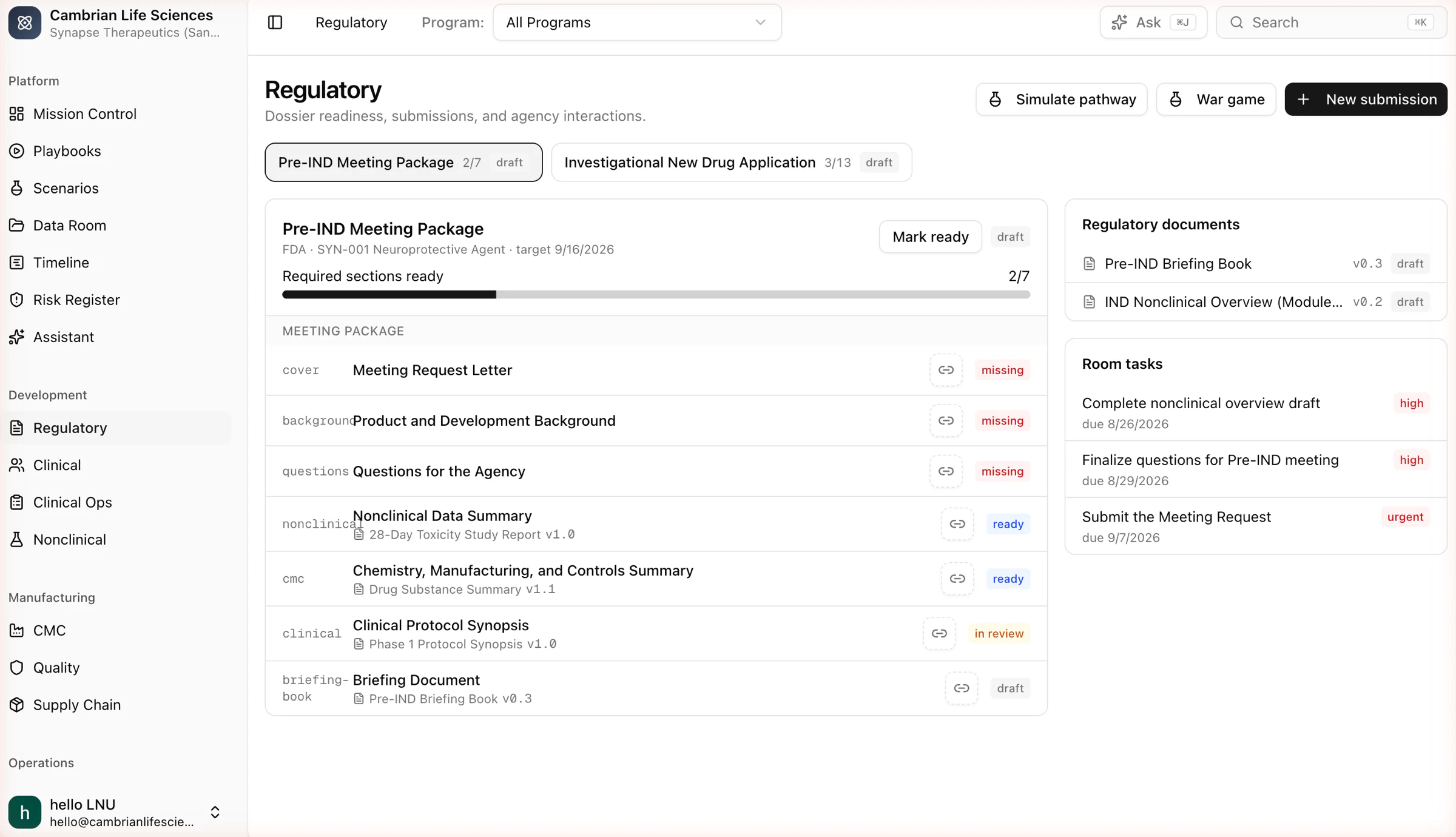
Dossier readiness section by section
Pre-IND meeting package and IND with required sections, the document behind each, and its status. Missing sections become tasks. The regulatory pathway engine and the war game read the same dossier.
- Readiness shown as ready sections out of required sections
- Simulate pathway and War game from the room header
- Meeting requests, briefing books and background packages as versioned documents
Clinical
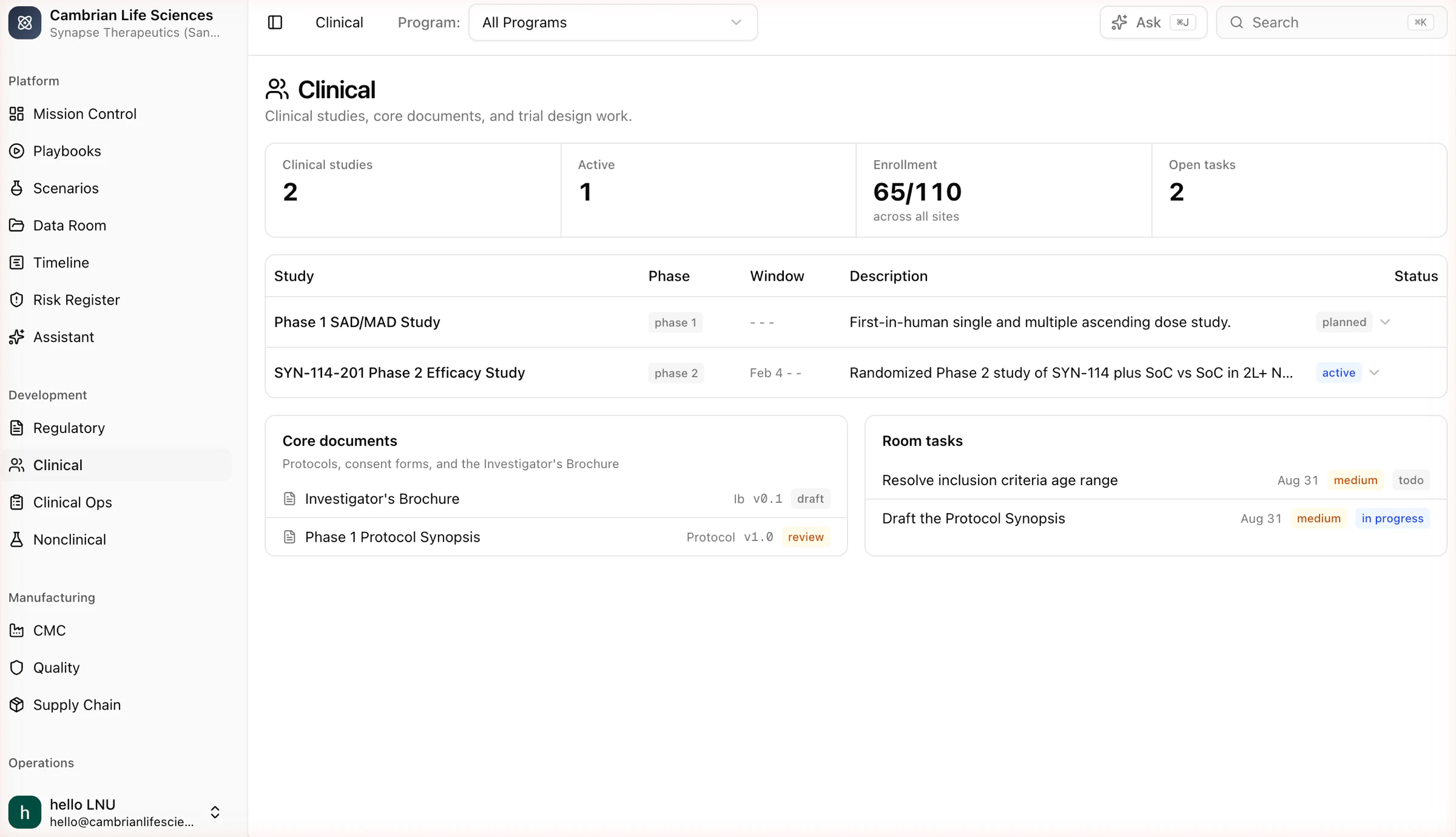
Studies, core documents and design work
Studies with phase, window and status; the investigator brochure and protocol synopsis as documents; the room tasks that move them. The enrollment and design engines take their inputs from here.
- Sites, enrolled counts and goals in Clinical Ops
- Enrollment forecasts resolve against these records
- Design experiments start from the study
Supply Chain
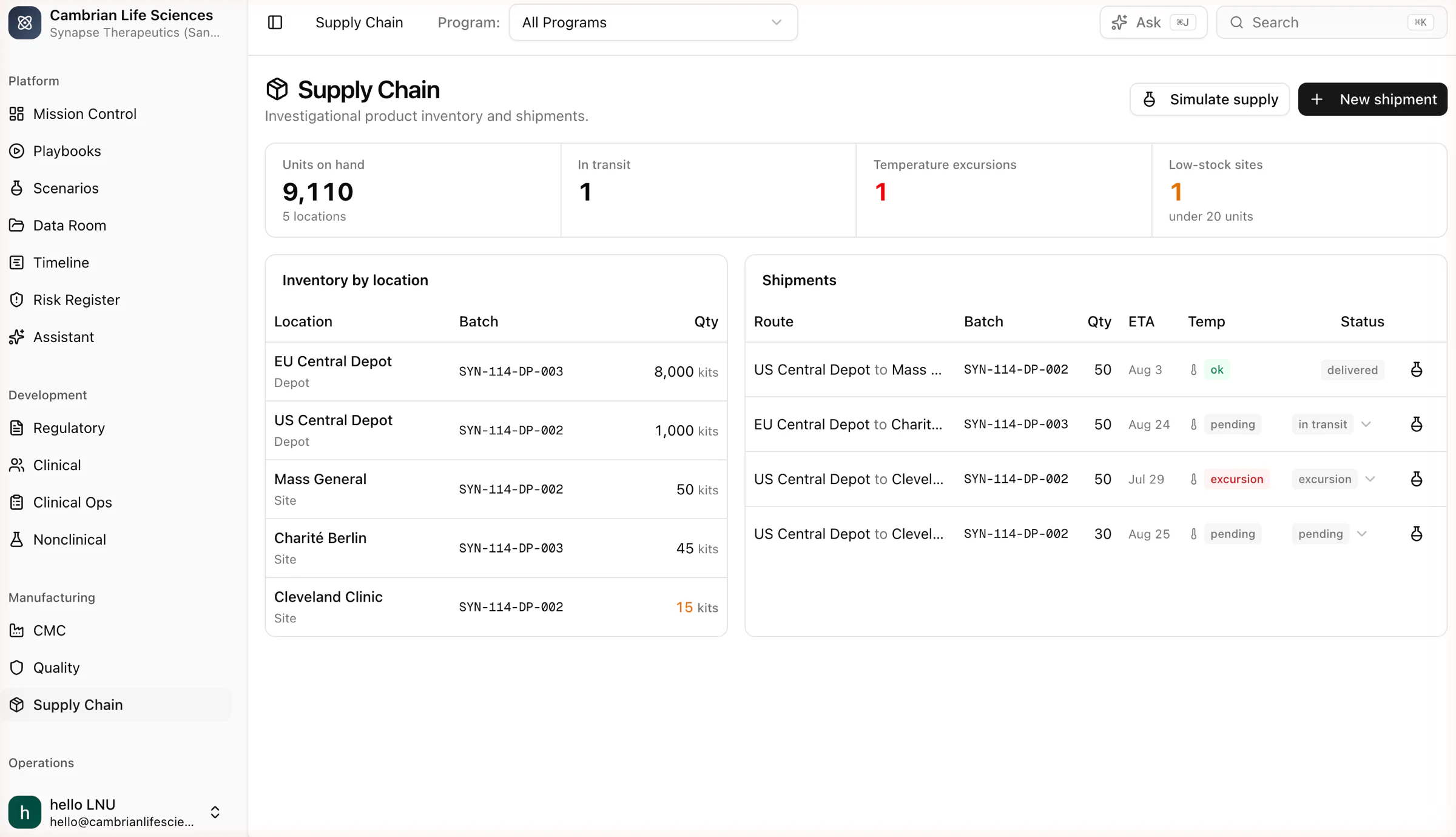
Inventory, shipments and stockout risk
Units on hand by location, shipments in transit with temperature status, and the batches behind them. Simulate supply runs the supply engine on the current stock, demand from enrollment and the reorder policy.
- Temperature excursions and low-stock sites shown at the top of the room
- Every shipment row can open a supply experiment
- Batch expiry and lead times feed the engine
Comply and decide
Documents, signatures, simulation and the assistant produce the material you present to a board or a regulator.
Data Room
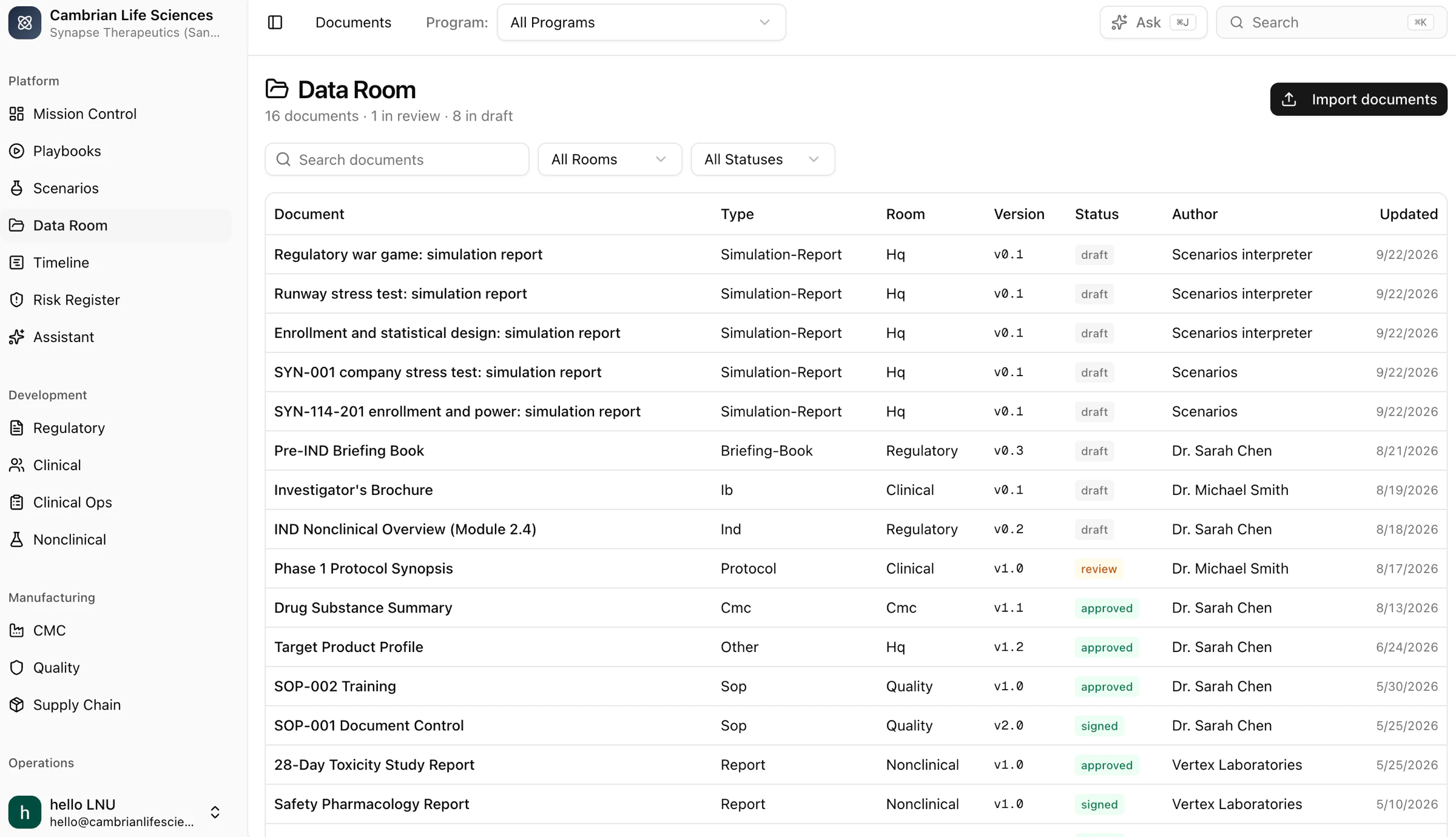
Documents with versions and signatures
Protocols, SOPs, reports, briefing books and simulation reports, with append-only versions, review and approval states, and Part 11 electronic signatures under a signature policy that your quality team defines.
- Versions are never edited in place
- Signatures hash the content and chain to the previous signature
- Simulation reports land here as versioned documents
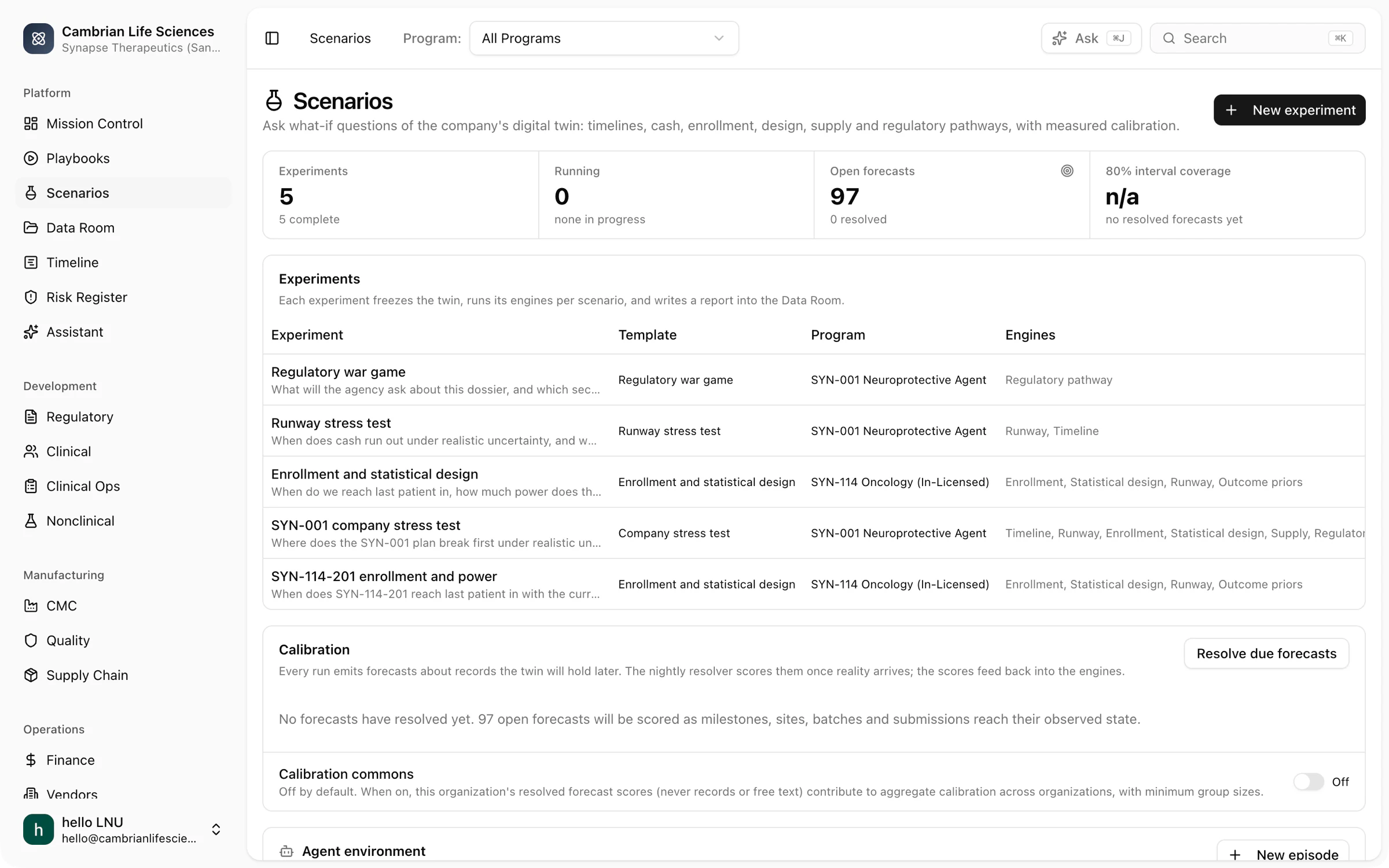
Scenarios
Simulation experiments
Pick a template, choose the engines and the compute budget, and run. Each experiment takes a snapshot of your records, runs the engines for each scenario, ranks the scenarios against your constraints, runs the expert panel and writes a report. Open forecasts and calibration are shown on the same page.
- Seven engines; the same inputs always give the same result
- Forecasts scored automatically as actual values arrive
- Agent environment with Claude, greedy and random policies
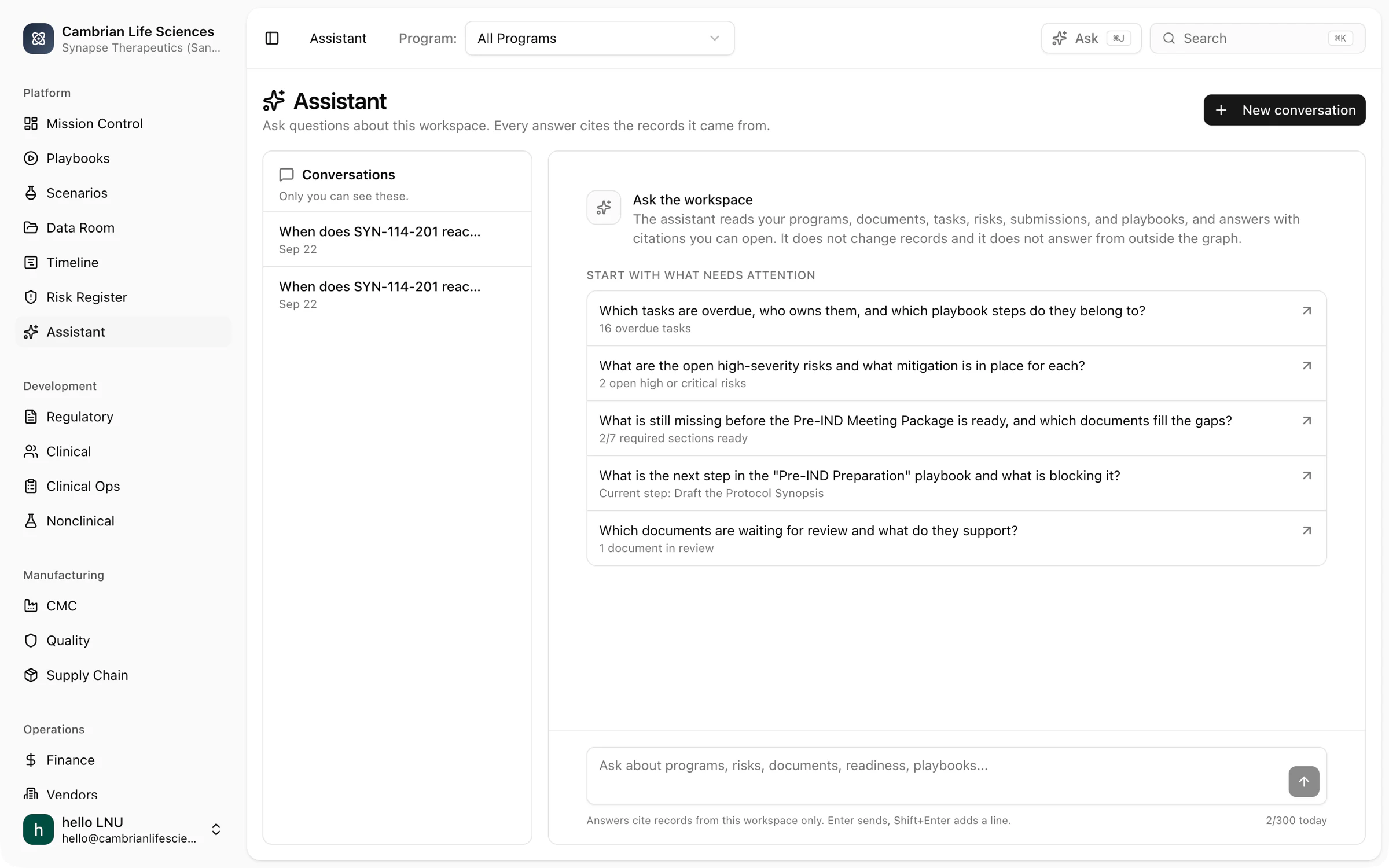
Assistant
Grounded answers with citations
A conversation about your records. It reads them, cites them and starts experiments. It never edits records. Suggested questions are based on what needs attention now.
- Cmd+J from any room
- Citations link to the record
- What-if questions start experiments
See it with your own program
We start the demo on a sample company, then use your own records. Bring a decision you are currently considering and we will simulate it during the call.